
Focus the Spectrometer
- Ensure that the spectrum contains adequate signal as well as some reasonably sharp features that the alignment routine can use to focus (e.g., zero-loss peak or a low energy core-loss edge).
- Press the Tune GIF button to automatically focus the spectrometer.
- Select the EELS Focus option to open a new Tuning dialog box.
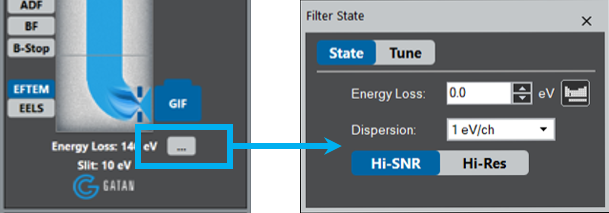
- To manually focus, click ... and adjust the Energy Loss and Dispersion in the Filter State window.


Related FAQs
By focusing the spectrum using the spectrum focus function via the automatic routine or manually adjusting each single lens FX, FY, SX, and SY; mostly the former two.
Ideally you want to make the zero-loss peak (ZLP) as sharp as possible. The energy resolution is measured at the full width half maximum (FWHM) of the ZLP.
